For painting and maintenance contractors
From the field report to an approved PO, no paper
Your crew fills out the report on their phone with photos. The office gets it instantly, approves the price, and sees everything on one dashboard. Nobody has to learn a new system.
No card needed. In English and Spanish.
- From the phone
- Before and after photos
- PO approval
- English and Spanish
Work report
- Employee
- Nicolás P.
- Date
- 8/18
- Property
- Tiffany Oaks
- Contractor price
- $632,83
Siding repair in 2 areas. Moisture damage, painted after the repair.
Before → With Crewvo
The same report your crew already uses, now on the phone
We copy your company's paper form: service details, type of work, areas, price, and notes. Your team recognizes it on day one.
Before
- Reports show up days later
- Photos lost in WhatsApp
- Hand math and PO mistakes
- The office chasing every employee
With Crewvo
- The report arrives right away
- Photos stay attached to the job
- Totals add up on their own
- Everything is saved and searchable
How it works
This easy, in three steps
The employee reports from the job
They open Crewvo on their phone, check off what they did, take before and after photos, and enter the price. It takes a couple of minutes.
The office gets the report instantly
An email arrives with the unit, the work, the price, and a link to the photos. It's also saved in the reports list.
You approve the PO in one click
Enter the approved price and you're done. The employee gets a notice and the amount shows up on the dashboard.
One report, from the ladder to the office
In the field
The painter finishes the job and reports it on the spot, with photos.
With the client
They show the property manager what was done, right on the phone.
At the office
The office sees the report, approves the PO, and moves on.
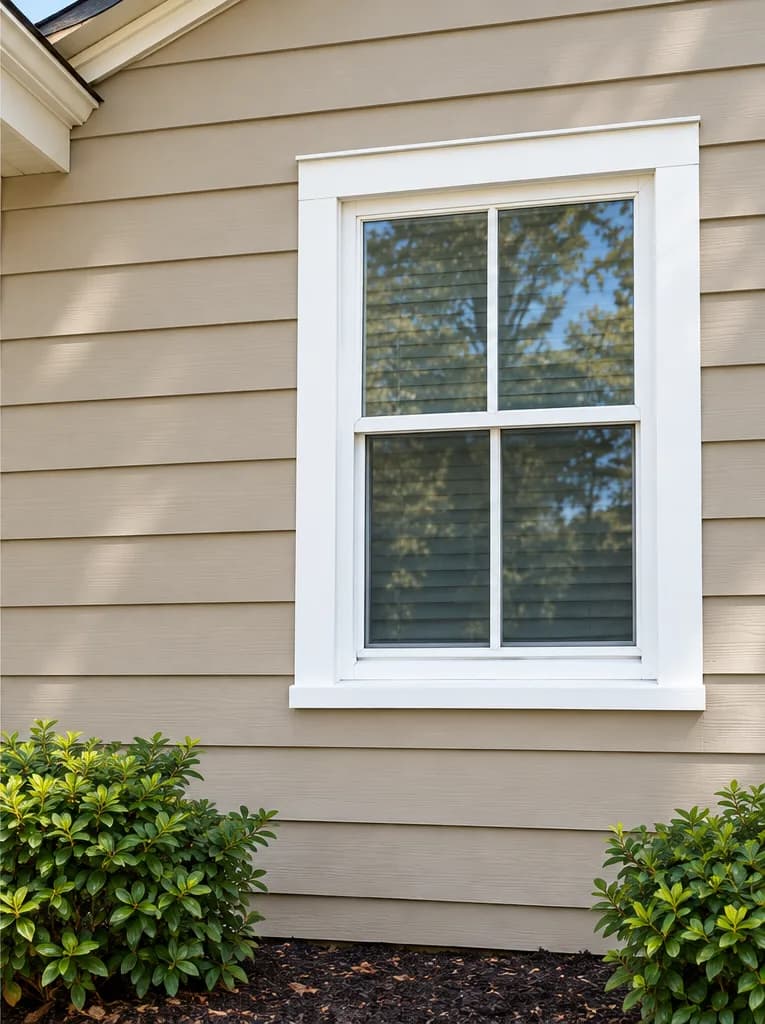
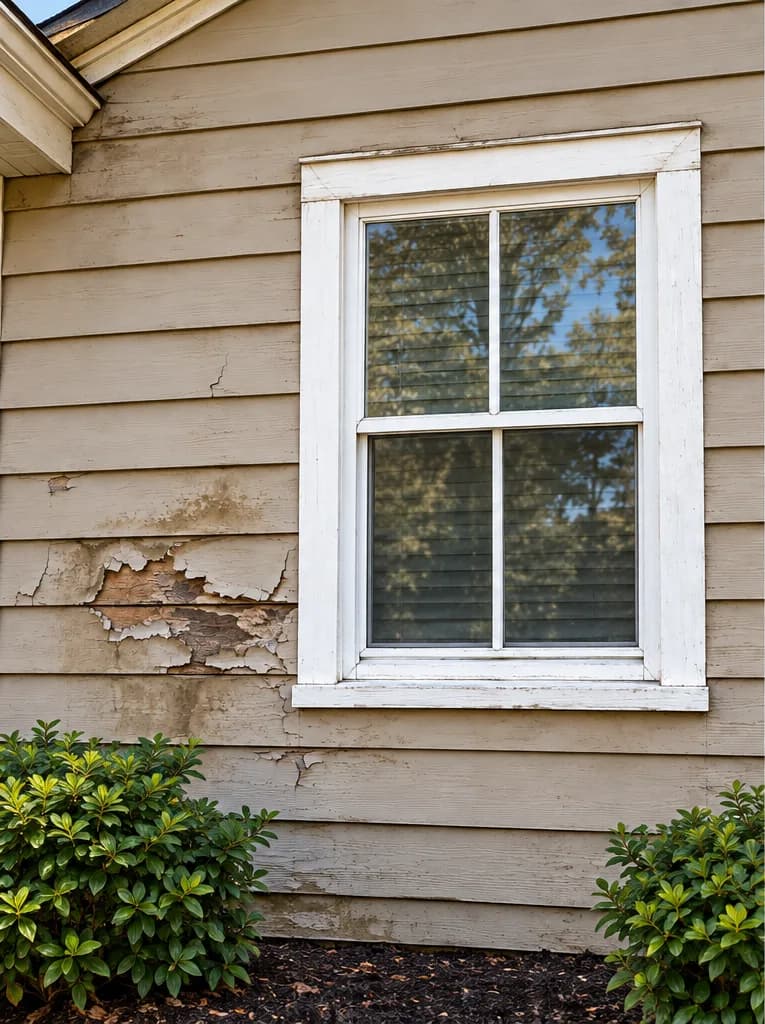
Before / After
Before and after photos that tell the story
Every report keeps its photos. When the property manager asks what was done, the answer is right there. Drag to compare.
Dashboard
Know how much work got done, where, and by whom
The dashboard totals reports by month, community, employee, and type of work. You see what's waiting on a PO without opening a spreadsheet.
- Totals by month and community
- Pending POs at a glance
- Export to CSV for your accountant
ES · EN
Your crew speaks Spanish. Your client, English. Crewvo speaks both.
Each person picks their language. Emails go out in your company's language.
Who it's for
Built for maintenance work
Painting contractors
Touch-ups, vacant units, exteriors, siding, and stucco.
Apartment maintenance
Drywall, doors, light plumbing, A/C, and make-ready cleaning.
Crews serving several properties
Every report records the community, unit, and property supervisor.
Pricing
Simple pricing, per company
No per-user fees. 14 days free, no card needed.
Crew
Up to 5 users
$49/mo
- Unlimited reports with photos
- Email to the office
- PO approval
- Dashboard with charts
Pro
Up to 15 users
$99/mo
- Everything in Crew
- Your logo and brand color
- CSV export
- Supervisor role
Business
Unlimited users
$199/mo
- Everything in Pro
- Unlimited users
- Multiple companies or divisions
- WhatsApp support
Frequently asked questions
What is Crewvo?
Crewvo is software for painting and maintenance contractors that turns the paper work report into a phone form with photos. The office gets every report by email, approves the PO (purchase order) price, and sees totals on a dashboard.
How much does Crewvo cost?
There are three plans per company, with no per-user fees: Crew at $49 per month (up to 5 users), Pro at $99 per month (up to 15 users), and Business at $199 per month (unlimited users). Yearly billing includes 2 months free. The free trial lasts 14 days and needs no card.
Does it work in English and Spanish?
Yes. Each person picks their language, and emails go out in the language the company sets.
Do I need to install an app?
No. Crewvo runs in the phone's browser and can be added to the home screen to open like an app.
How is a PO approved in Crewvo?
The employee submits the report with the contractor price (labor plus materials). The owner or an admin enters the approved price, and the employee gets an email.
Who can see the reports?
Each company only sees its own data. Employees see only their reports; supervisors, admins, and owners see all of them. Photos are stored privately.
Try Crewvo on your next job
Create your account, invite your crew, and send the first report today.
No card needed. In English and Spanish.